How to Download Video from Websites (2026 Guide)
By Editorial · August 3, 2026
How to Download Video from Websites (2026 Guide)
Last updated: August 2026
Saving a video for offline viewing is useful when you are travelling, working with slow mobile data, archiving your own uploads, or keeping study material you paid for. This guide explains the methods that actually work in 2026, in the order you should try them, and — just as important — where the legal and ethical limits are.
Before You Download: The Rules That Matter
Downloading is not automatically allowed just because a video is publicly visible. Three separate things decide whether you may save a file:
- Copyright law. The video belongs to whoever created it. Copying it without permission or a legal exception can be an infringement.
- The website's Terms of Service. Many large video platforms restrict downloading outside their official buttons or apps. Breaking those terms can result in account restrictions even when no law is involved.
- Technical protection measures. If a video is behind DRM, such as content on Netflix, Disney+, paid courses, or some broadcaster services, circumventing that protection can be illegal in many jurisdictions.
Safe cases: your own uploads, videos published under a Creative Commons or public-domain licence, material your employer or school licensed for offline use, and videos where the creator provides a download option.
Unsafe cases: paid streaming catalogues, DRM-protected courses, and re-uploading someone else's work as your own.
This article provides general information and is not legal advice. Rules differ by country, so check your local copyright rules if you are unsure.
Method 1: Use the Platform's Own Download Button
This is the first option to try and the safest method because the platform itself is providing the download or offline feature.
- YouTube: Premium subscribers can use the Download feature for offline playback through supported YouTube apps and experiences.
- Instagram, TikTok, and Facebook: some creators enable options such as saving or downloading videos. If the creator has disabled the option, respect that choice.
- Vimeo: uploaders can enable a public download button, allowing viewers to download the available video file.
- Online course platforms: services such as Udemy, Coursera, and many learning platforms provide official offline features for enrolled students.
Offline Mode vs. a Real File
Platform downloads often store an encrypted or app-specific copy that can only be played inside the corresponding application and may expire. That can be sufficient for a flight or commute, but it is not necessarily a portable file that you can edit or move. If you genuinely need a portable copy, ask the creator or content provider.
Method 2: Ask the Creator or Use Official Media Kits
This option is often overlooked and can be one of the easiest solutions. Journalists, editors, teachers, and other professionals can often obtain source files simply by contacting the creator.
Brands, organizations, and public institutions may also publish press kits and open media libraries containing downloadable MP4 files with clear licensing information.
Method 3: Open-Licence and Public-Domain Libraries
When you need footage rather than one particular clip, consider sources specifically designed to provide reusable media:
- Wikimedia Commons — public-domain and Creative Commons media.
- The Internet Archive — archived films, lectures, and other media.
- Pexels, Pixabay, and Coverr — free stock video with licensing conditions.
- NASA, ESA, and many government agencies — sources of public-domain or openly licensed footage where applicable.
Always read the licence page before using a file. "Free" does not always mean unrestricted use. Some licences require attribution or restrict commercial use.
Method 4: Save Your Own Content
If the video belongs to you, the platform where you published it will generally provide an export or download method.
YouTube Studio provides options for downloading your own videos, while services such as Instagram and Facebook offer account data export features. TikTok and other platforms may also provide ways to save your own content. Services such as Zoom, Microsoft Teams, and Google Meet can provide access to recordings through their respective dashboards when recording and account permissions allow it.
Method 5: Browser Tools and Downloader Utilities
Third-party downloader websites, browser extensions, and desktop utilities exist and can be useful for content that you are clearly permitted to save, such as open-licence videos or your own uploads.
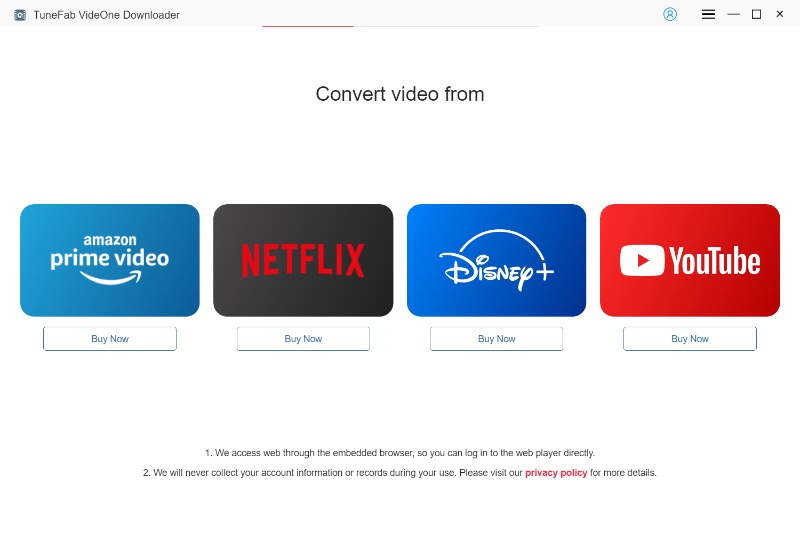
If you use an online video utility, such as a video downloader tool, understand the potential risks and make sure the content you process is yours or is legally available for download.
- Many free downloader pages use aggressive pop-ups, misleading buttons, or deceptive advertisements.
- Browser extensions that can read information from every page you visit can create privacy risks. Check their permissions carefully.
- Never install an executable that asks you to disable your antivirus or other security software.
- Do not use these tools to bypass DRM or other technical protection measures.
A safer approach is to use reputable tools, preferably well-established open-source projects with publicly available source code. Keep your browser and operating system updated, and scan downloaded software before installing it.
Screen Recording: When It Is the Right Answer
Screen recording captures content that you are legitimately allowed to view. Recording features are built into Windows, macOS, iOS, and Android, so additional software is often unnecessary.
Screen recording can be useful for documenting a bug, keeping a copy of a live session you attended, or recording your own presentation.
However, recording a DRM-protected stream can still raise legal and technical protection issues in many countries. Protected players may also prevent recording or produce a black screen. Screen recording is also lossy because the resulting video reflects the quality displayed on your screen rather than the original source.
Choosing Quality and Format
- MP4 (H.264) — a widely compatible choice that works on most devices.
- WebM / VP9 and AV1 — can provide smaller files at similar quality, although compatibility varies between older devices and software.
- Resolution — 1080p is generally sufficient for phones and laptops. 4K is more useful for large displays or editing where cropping is required.
- Audio-only — for lectures and podcasts, formats such as M4A or MP3 can save considerable storage space.
Troubleshooting Common Problems
The File Will Not Play
Try a modern media player such as VLC, which supports a wide range of video and audio codecs.
Video Plays but There Is No Sound
Some video streams store video and audio separately. If the saved file contains only the video track, you may need to obtain a version containing both tracks or use appropriate media-processing software for content you are authorized to process.
The Download Stops Halfway
This can happen with segmented streams or an unstable internet connection. Check your connection and try again, preferably over a stable Wi-Fi connection.
Only a Low Resolution Is Available
Some platforms store high-resolution video and audio separately. When available, the platform's official download feature is usually the best option for obtaining an appropriate version.
Frequently Asked Questions
Is Downloading Videos Illegal?
Not inherently. It depends on the copyright status of the video, the website's terms, and whether technical protection measures were bypassed. Your own content and appropriately licensed content can generally be saved according to their applicable terms.
Can I Download a Netflix or Disney+ Film to Keep?
You can use the official offline feature provided by the service where available. These features generally store a temporary copy inside the official application. Bypassing DRM to create a permanent file can be unlawful in many countries.
Are Downloader Websites Safe?
Quality varies considerably. Treat unfamiliar websites cautiously, watch for deceptive advertisements, avoid installing unexpected software, and never enter account passwords or other sensitive credentials into an unknown downloader.
Can I Re-upload a Video I Downloaded?
Not without permission or a licence that allows redistribution. Even when a video has a Creative Commons licence, you may need to credit the creator and comply with conditions such as non-commercial or share-alike requirements.
What Is the Best Format to Keep Long-Term?
MP4 with H.264 video and AAC audio offers broad compatibility and is a practical choice for long-term storage.
Summary
Start with the platform's official download feature, then consider contacting the creator or finding an appropriately licensed source. Use third-party tools only for content you clearly have the right to save, and never use them to bypass DRM or other technical protection measures.
Following these guidelines helps protect both the creators whose work you value and your own devices and accounts.
Disclaimer: This article provides general information about lawful ways to save video and does not constitute legal advice or endorse bypassing copy protection. Copyright and digital-rights rules vary by country.